
GTA AI Filter
Upload a photo and see yourself as a GTA 6 style character. The AI renders you as a realistic 3D game character on a sunny palm-lined street, or switch to the hand-painted loading screen look.
Upload a photo of yourself
A clear selfie or portrait works best. JPG, PNG or WebP up to 20 MB.
How to use the GTA AI filter
Upload a photo
Drop a selfie or portrait, paste one from your clipboard, or try the sample photo. JPG, PNG and WebP up to 20 MB.
Choose In-game character
It’s selected already. Pick Wallpaper for a widescreen game shot or Portrait for your phone. You can switch to Loading screen art or Wanted poster any time.
Generate and download
Your image is ready in about a minute. Try other styles on the same photo and download the ones you like as PNG.
Before and after
 Photo
Photo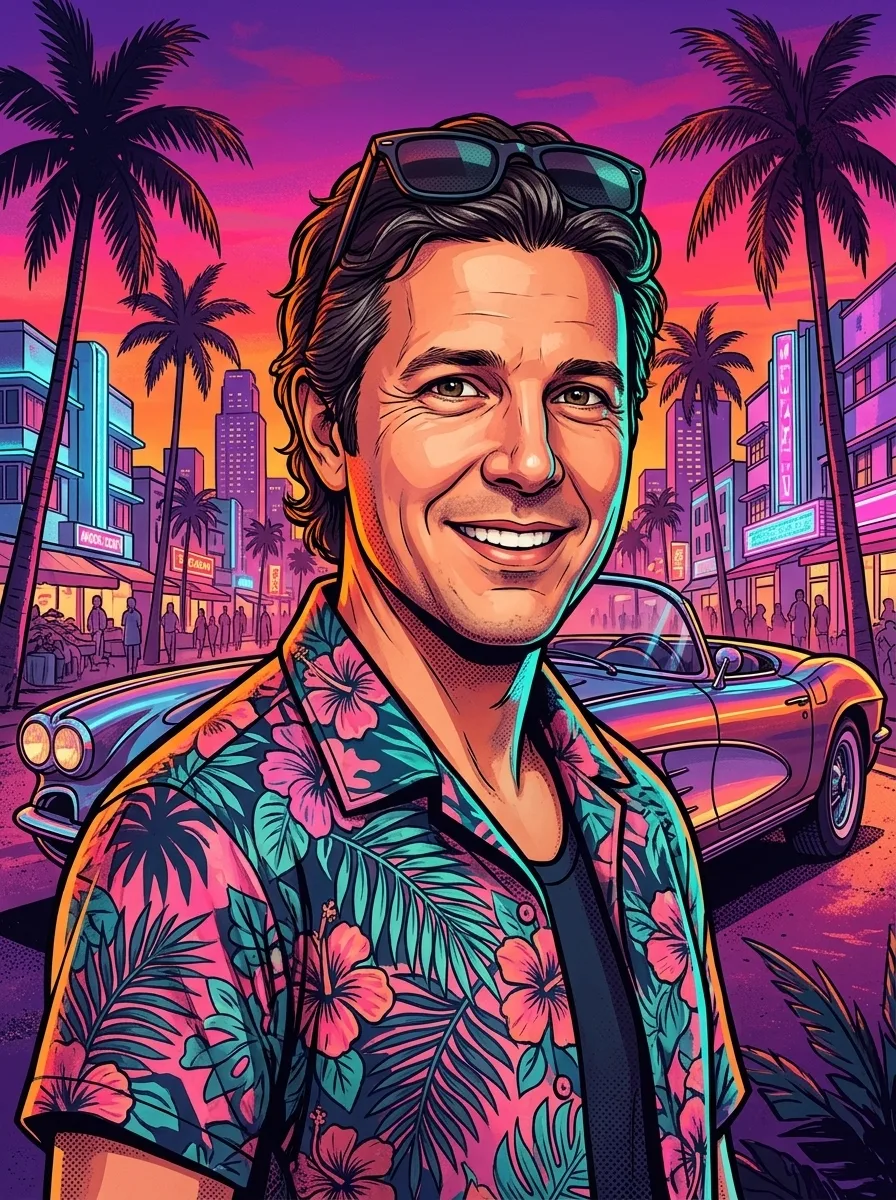 ResultPhoto
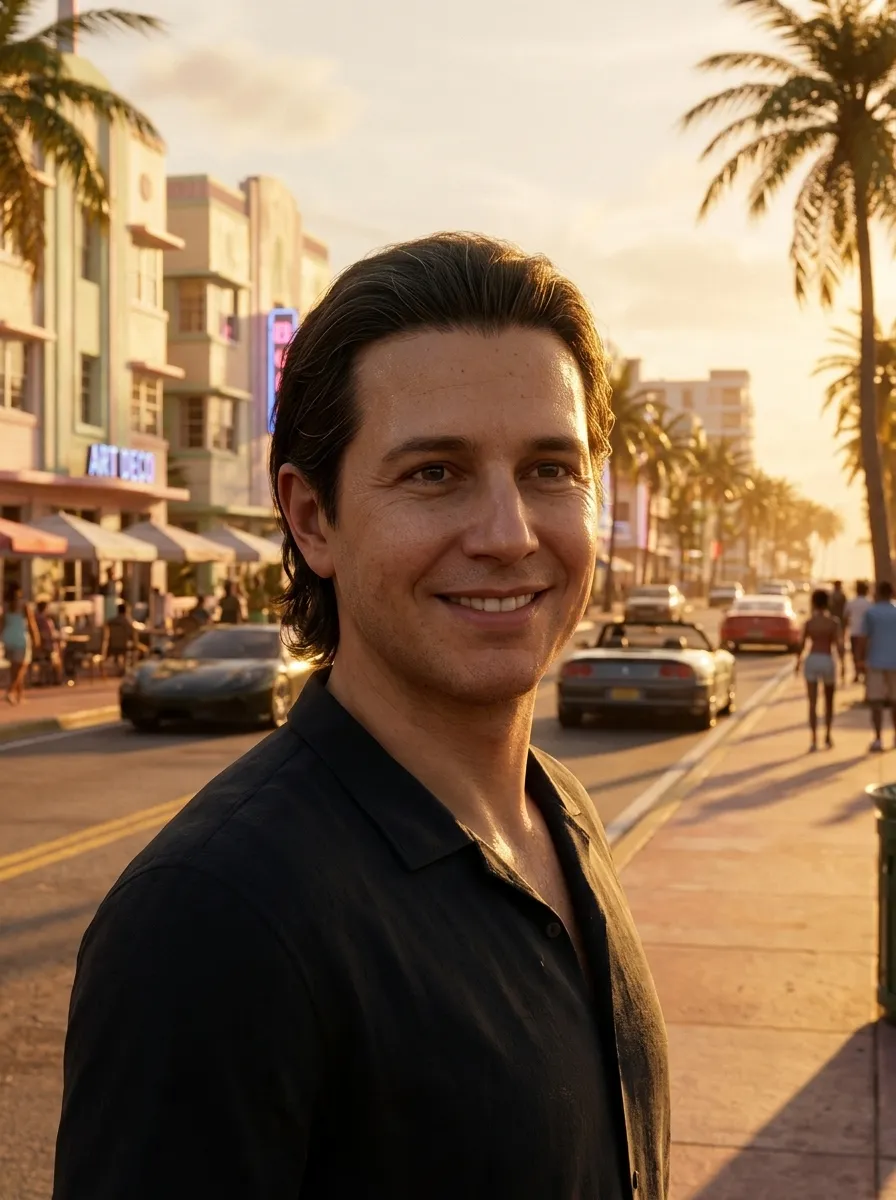 Result
More than a color filter
Most photo filters only shift colors. This one repaints the whole picture: the AI turns you into a detailed 3D character with game-style skin shading and places you in a sunny Florida-like city at golden hour, with sports cars and art deco buildings behind you.
Because it is generated, the background and outfit change from run to run while your face, hair and expression stay recognizable.
Tips for a better result
- Use a sharp photo where your face is clearly visible, ideally facing the camera.
- Good, even light works best. Avoid heavy filters and dark sunglasses.
- One to three people per photo. Crowds lose detail.
- Pick Portrait for phone wallpapers and stories, Wallpaper for desktops and YouTube thumbnails, Square for profile pictures.
- Not quite right? Generate again. Each run paints a slightly different scene.
Unofficial fan tool
This site is made by fans and is not affiliated with, endorsed by or sponsored by Rockstar Games or Take-Two Interactive. Grand Theft Auto, GTA and GTA VI are trademarks of Take-Two Interactive. The images are new AI artwork inspired by the look of the games; they contain no official logos, characters or game assets.